The Danger Hiptop, better known as the T-Mobile Sidekick, came out in 2002 with a full QWERTY keyboard, AIM and Yahoo Messenger built in, and push notifications, at a time when most phones could barely handle a text message. All of it ran on DangerOS, Danger's own Java-based operating system.
The Sidekick was a cloud device before "the cloud" was even a term most people knew. Everything lived on Danger's servers: contacts, messages, photos, settings. Most users had no idea that their phone was essentially a thin client, completely dependent on a backend they'd never think about. It just worked, and that was enough. Microsoft acquired Danger in 2008, and after a catastrophic data loss in 2009 that wiped users' contacts, photos, and personal data, the service shut down for good in 2011. A phone that kept everything on someone else's servers now had no one to talk to.
Permission to Run
With Danger long gone, I started digging through whatever survived of it. Eventually I found a copy of the SDK on archive.org, containing everything needed to develop for the device: documentation, examples, a device simulator, and a set of JAR files. Throwing those JARs into JADX and decompiling them revealed how the device actually worked under the hood.
I wanted my own code running on a real Sidekick, and that meant dealing with Danger's security model. DangerOS only runs software signed by Danger or your carrier. Developers got around this with a developer key. Flash one onto your phone and it switches into developer mode, which accepts apps over USB and turns on htconsole, Danger's debug console.
Getting one used to be surprisingly easy. In 2003 Danger hand-picked its first developers and emailed keys out one at a time, and some people waited weeks to hear back.
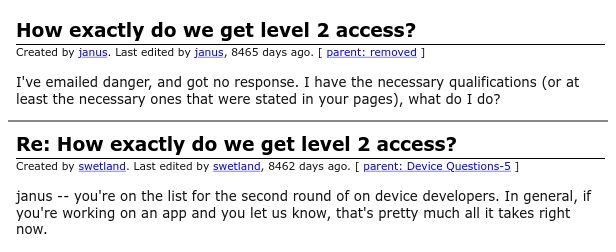
By the end of the year there was a self-serve web form: enter your T-Mobile account and IMEI, agree to give up carrier phone support, and a signed key showed up in your inbox. That lasted until September 2010, when Danger told developers it would stop accepting new apps and shut its developer site down weeks later, taking the only place to get a key with it. Nobody is issuing keys anymore, so if I wanted one, I'd have to make it myself.
Needing permission from the manufacturer just to run your own code sounds insane next to how open Android is. Then again, maybe not: Google is now rolling out developer verification, and soon an app from a developer who hasn't registered with Google will only install through adb or a buried "advanced flow".
Finding the Key
A Sidekick developer key is tiny: one config setting, lock_to_imei_0, set to the phone's IMEI, and Danger's signature over it. It comes in two forms. Older Hiptops took it as a small .sq file, while the Sidekick 3 takes it as a .jar, laid out like a signed Java app, installed from recovery mode. Both are signed the same way, and the only real key I could find was an .sq.
The setting is easy. The signature means knowing which key the phone checks against, and that key had to be somewhere in the firmware. Back in the day, a college student had gotten full JTAG access to an older Sidekick and dumped its flash, but that takes hardware I don't have, and their download links are long dead.
Luckily, Danger's ServiceProgrammer, a tool for reflashing Sidekick IIs, is preserved on archive.org. It ships complete factory OS images. I scanned every image for anything shaped like a certificate or public key, and pulled out dozens: per-carrier signing certificates for T-Mobile, Fido, KPN and others, factory roots, and a few public TLS roots. No private keys, of course. Most of them were 1024-bit RSA, but one certificate stood out:
CN=Danger Developer Program, OU=Developer, O=Danger
[email protected]
Not Before: Sep 17 2003
Not After:  Apr 11 2006
Public Key: RSA (512 bit)
A self-signed root for the Developer Program, trusted by the OS on every generation I checked, from the Hiptop 1 to the Sidekick 3. To check that it was really the key behind developer keys, I needed a real key to test against. Danger's old developer site is archived on archive.org as well, and it still has a copy of null-device-key.sq, a key with no IMEI lock that the phone accepts and then deletes, which Danger handed out so people could leave developer mode. Its signature verified against the Developer Program key. That was the one.
512 Bits
In 1999, a team of researchers factored RSA-155, a 512-bit number, meaning they found the two primes that multiply to make it. That's all it takes to break an RSA key: every public key contains a number like that, and its two primes are enough to rebuild the private key. It took them about seven months on hundreds of computers. From then on, 512-bit RSA was no longer considered safe, and Danger issued this certificate four years later. To be fair to Danger, in 2003 factoring a 512-bit key was still a research project, and this one only guarded developer mode. Nobody was going to rent a university's worth of computers to sideload apps onto a Sidekick.
In 2026 it's an overnight project, if you have enough cores.
The standard tool for this is CADO-NFS, an open source implementation of the general number field sieve. Most of the work is sieving, which splits into independent work units, so it scales across as many machines as you can throw at it.
My workstation alone, a Ryzen 9 9950X3D, would have needed about a day and a half, assuming nothing went wrong. Luckily I had a few servers that weren't doing much. CADO-NFS runs a central server that hands out work units over HTTP, with clients that sieve and upload the results, so I wrote a small script to copy a client bundle to each node, start dozens of clients as low-priority processes, and tunnel everything back to my workstation over SSH. In total, 220 CPU cores (436 threads) across seven machines worked on the problem. I started the run a little after 9pm.
Things did go wrong. Every node dropped off at once around 11pm, and later the server choked when 200 clients tried to upload results at the same moment. Both times I patched it up and got it going again. Still, at 6:09am, CADO-NFS printed two 78-digit numbers:
n = 11576385713948644711688861097066027618113758646736035007798668946285132955940594207257263351308819380417615195922932748143994263878857883771956785119149869
p = 104491666572898294264047880744514595625924491114579942567545554396922436316211
q = 110787645499676419929932206845243986470558771418524609420578927381066743957279
| Stage | Work |
|---|
| Polynomial selection | ~63 core-hours |
| Sieving | ~578 core-hours, 204.5 million relations |
| Filtering | ~2 core-hours |
| Linear algebra | ~35 core-hours, 2.5 hours on one machine |
| Square root | about a minute |
| Total | ~1,175 core-hours (about 49 core-days), 8.5 hours of wall time |
Multiply p and q together and you get Danger's modulus. From there, rebuilding the private key is a few lines of Python. To check it, I wrote my own signer and used it to rebuild Danger's null-device-key.sq. The output matched Danger's original file exactly. More than twenty years later, I could sign developer keys the way Danger did.
For the Sidekick 3, I put the IMEI setting in a .jar, signed it, and flashed it from recovery mode. Recovery checks what the signing certificate is allowed to do: a carrier's certificate could replace the whole OS, while the Developer Program certificate can only install the developer setting. That's all I needed. On the next boot, the log printed the two lines I'd been chasing:
Config: Override w/key IMEI found.
Config: DEVELOPER BUILD
Class of '09
The first thing I ran on my unlocked Sidekick 3 was a port of Class of '09, a visual novel set in 2007 whose main character carries a Sidekick. The port is a small Java engine that plays the game's script, art, voice acting, and movies from a data pack on the memory card, squeezed down from 1080p to a 240×160 screen. Endings arrive as real Sidekick text notifications, using an emulated modem. That one deserves its own post.
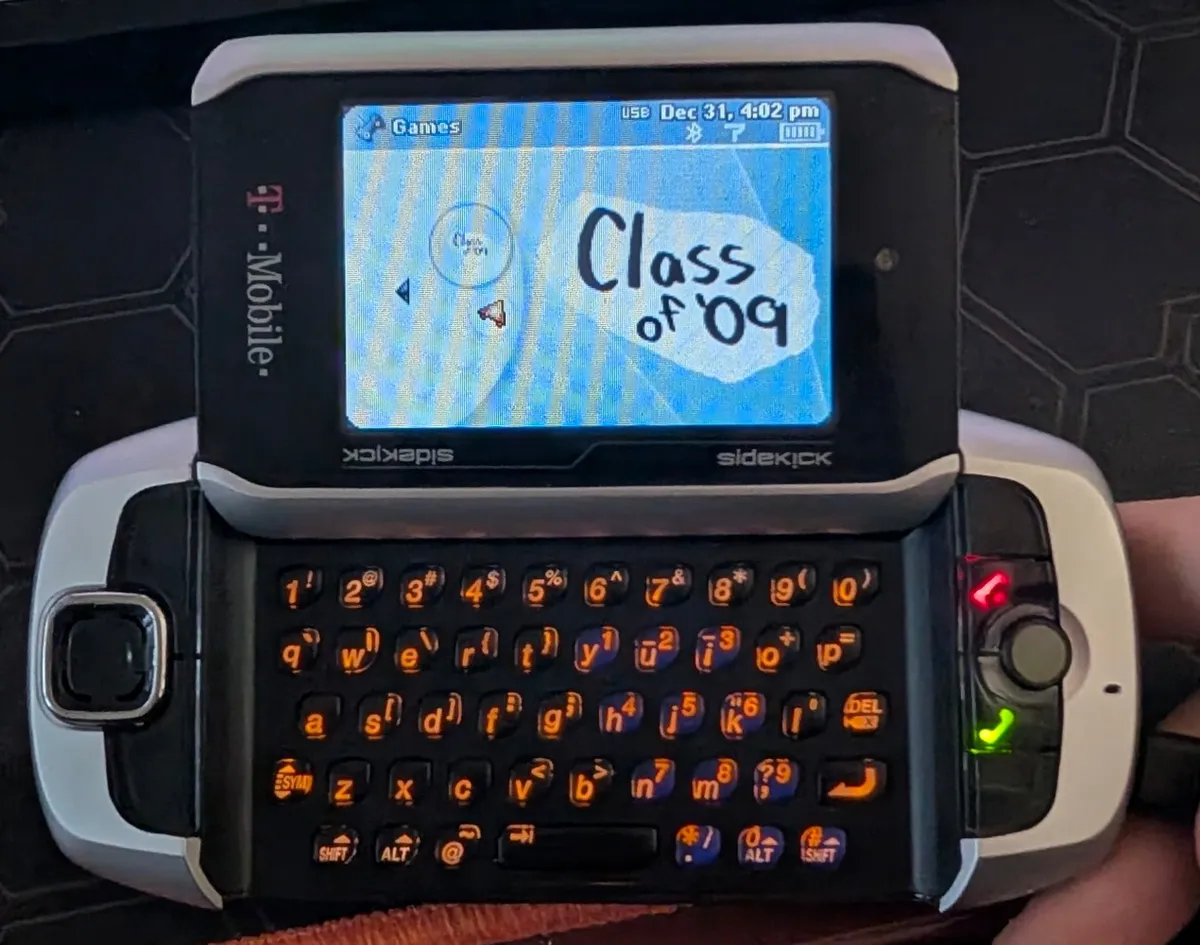
The Simulator in Your Browser
The Sidekick at the top of this page is the real DangerOS, the same bytecode as the SDK's simulator, running in your browser. Danger's simulator is a desktop Java app, and the usual ways of getting Java onto a web page bring a whole JVM along with them. DangerOS doesn't need much of one, so I wrote a small Java interpreter in JavaScript instead. It loads the OS straight out of the SDK, unmodified, with the standard Java class library underneath. The only parts I rebuilt are the ones that touched the desktop: the screen, the keyboard, files, and sound.
Sound was the odd one out. The Sidekick 3 doesn't decode MP3s in software; the phone hands them to its audio hardware. Danger's simulator had no such hardware to hand them to, so it never played MP3s at all. It only knew MIDI, WAV, and a couple of other formats, and the SDK's music player lists your songs and then plays silence. In the browser, MP3s go to the browser's own decoder instead, which stands in for the hardware. That's why the music player works here. There's no network, so it behaves like a phone with no signal: the launcher, the games and the music player work, but nothing online does. Anything you change is saved in your browser for next time.
It's the whole phone, so look around. Press the Jump button (or F8) to get back to the home screen from anywhere. Remember the address on that certificate, [email protected]? It belongs to Brian Swetland, who worked on the Hiptop's operating system and went on to lead Android's kernel work. His site has a gallery of photos from Danger's office in 2001, Dangerous People 2001, and they're on this Sidekick too: open the Camera app and pick the album. The other photos in there are ones I took on my own Sidekick 3 in Japan. Class of '09 is preloaded under Games, too. Give it a shot!
Re:Danger
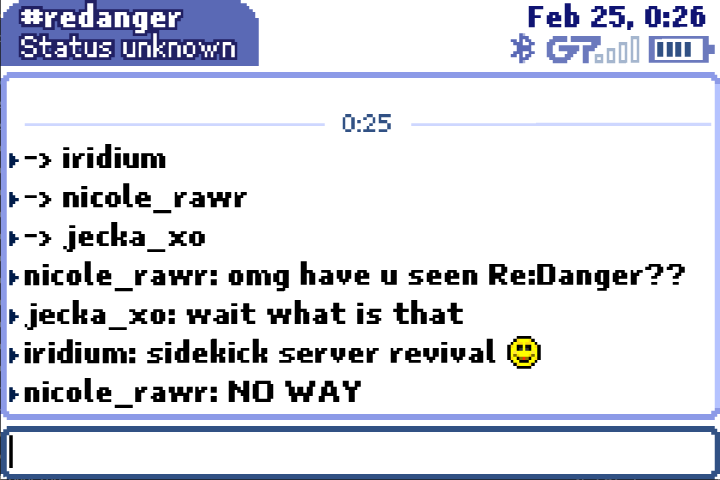
A Sidekick is only half a phone without Danger's servers, so I've also been rebuilding them from the decompiled code, as Re:Danger. It only talks to the simulator for now. Here's the progress so far:
- The clock. The first thing that worked. After the handshake and login, the server told the phone what time it was, and the status bar clock changed. It was the first answer a Sidekick had gotten from a backend since 2011.
- Messaging. The Sidekick never connected to AIM, Yahoo or MSN itself. Danger's servers stayed logged in on your behalf and pushed each message to the phone the moment it arrived, years before the iPhone had push notifications. Those services are all gone, so Re:Danger bridges messages to Discord instead.
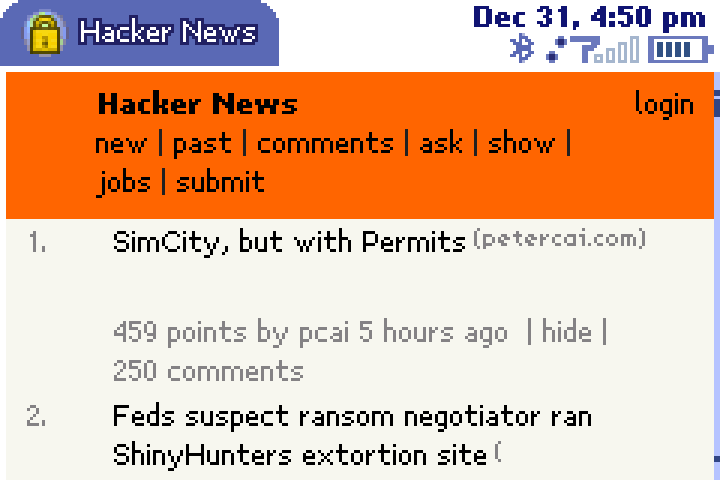
- The web. The phone never loaded a page itself: Danger's proxy fetched it, laid it out, and sent the phone a finished page to draw, which meant Danger saw every page you visited. It hardly mattered, since most of the web wasn't encrypted back then anyway. Re:Danger has a small version of that proxy, enough to read Hacker News on a Sidekick.
What's Next
- Real hardware. A real Sidekick has never connected to the Re:Danger server. I tried pointing mine at it with a config override and over USB networking, and the phone refused both. The next step is running my own GSM network: the Sidekick 3 is a GSM/EDGE phone, so a software-defined radio running Osmocom can stand in for T-Mobile's towers, carry its data, and send it to Re:Danger instead of Danger.
- Everything else. Email, connecting to revived AIM servers over OSCAR, the Download Catalog, and photo sync are all still on the list.
If you have a Sidekick 3, make a developer key for it and run your own code.
If you have a Hiptop 1 or 2, I'd like to hear whether Danger's original flashing process still works. I haven't been able to test it.